
1. How to Securely Give Access to Your Facebook & Instagram account/page
A. Meta Business Manager – Partner Access (Recommended Method)
Open your browser and go to https://business.facebook.com
Log in with your Facebook account
Create a Business Portfolio [Ignore if already done]
- Step1: Click Create a business portfolio.
- Step2: Enter a name for the business portfolio
- Step3: Click Create or Create portfolio.
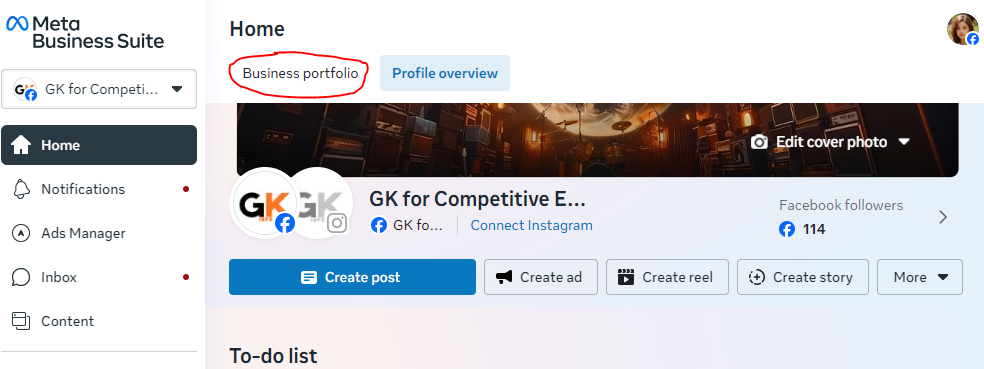
If you already have a Business Portfolio, then click on “Switch business portfolio”.
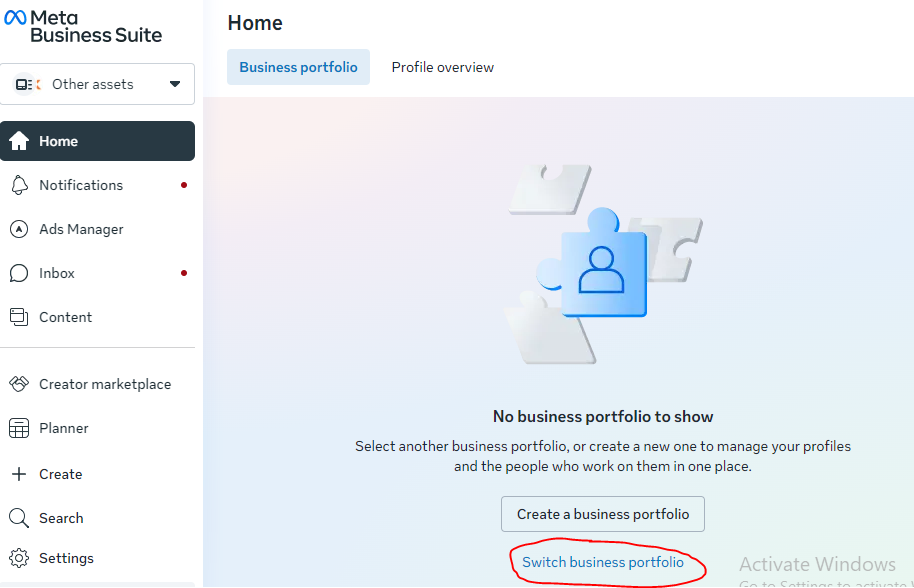
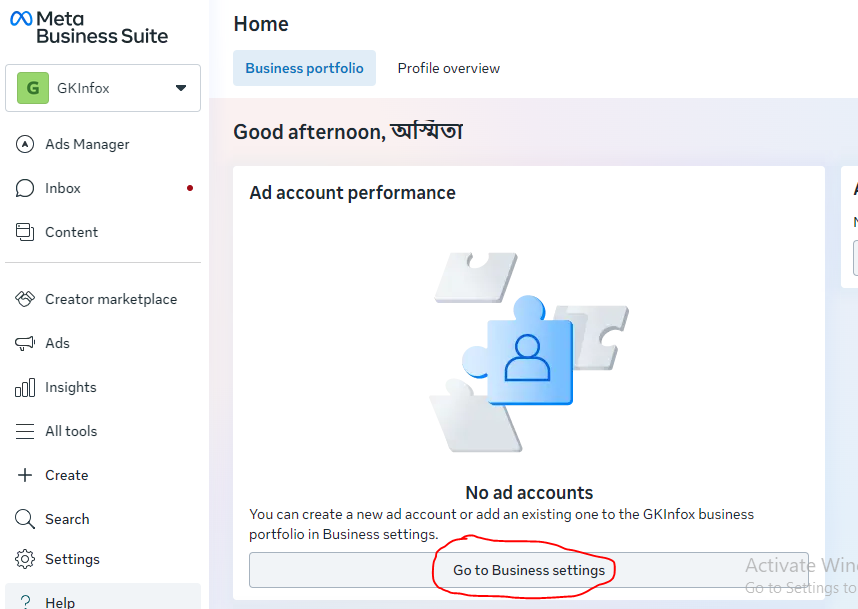
After switching to the business portfolio, click on “Go to Business settings.”
Under the Business Portfolio, you can add assets like;
- A Facebook Page
- An Instagram account
- An ad account
- An app owned by your organization
- A Meta Pixel
Under the Settings -> Accounts, you can add a Facebook Page, an Instagram Account
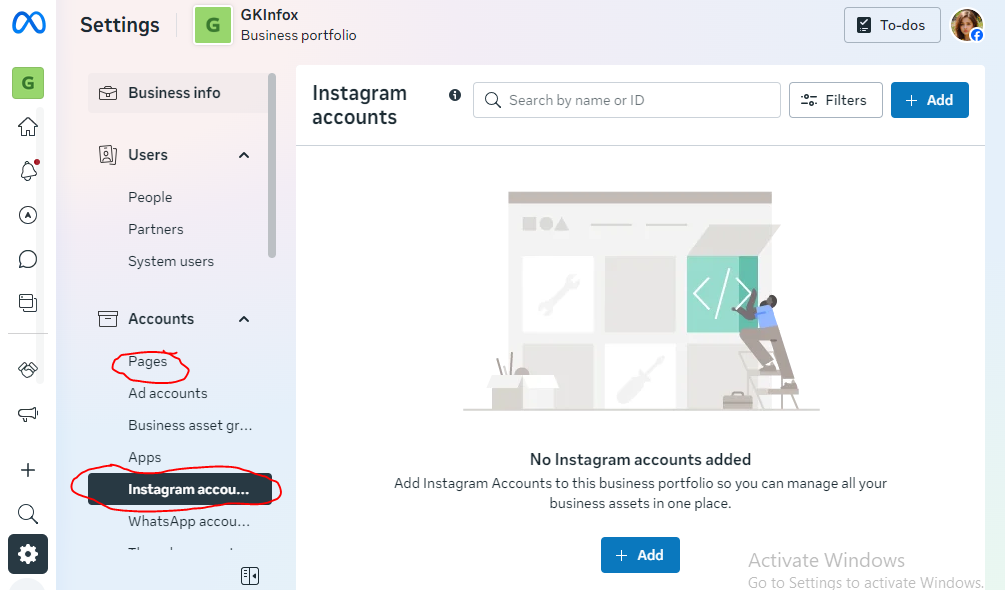
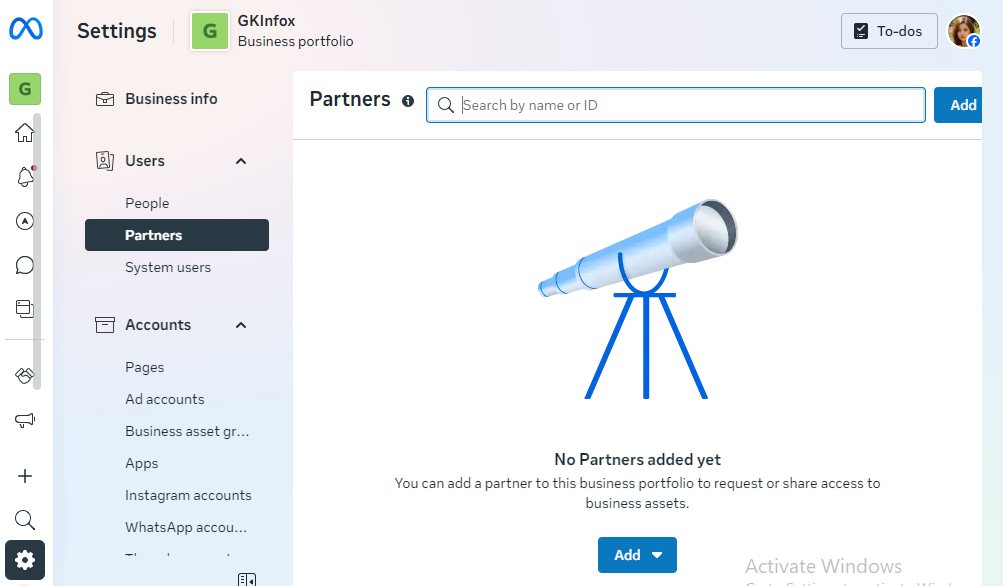
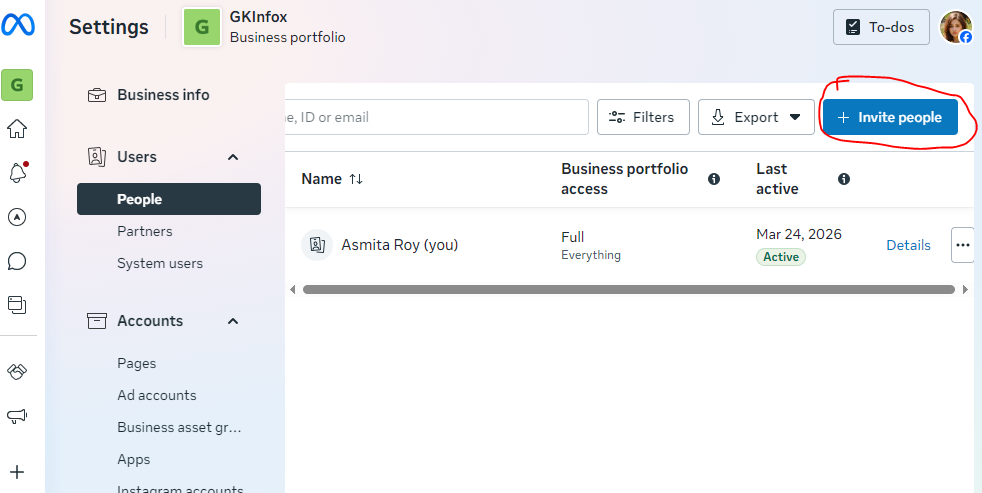
Under Business portfolio settings -> People, click on “Invite People” or under partner, enter our partner ID, and add as a partner
B. Alternative: Page Role Access
Go to:
- Facebook Page -> Settings -> Page Roles
Add your Facebook profile as:
- Admin (full access) OR
- Editor (safe option)
Instagram (Direct Access via Facebook)
- Connect Instagram to Facebook Page
- Then give access via Business Manager
No password is needed in this process.
C. Use Scheduling Tools
Connect your accounts to:
- Meta Business Suite
- Hootsuite
- Buffer
We will manage everything from one dashboard
2. LinkedIn (Company Page Access)
Steps:
- Go to LinkedIn Page
- Settings -> Manage Admins
- Add us as:
- Super Admin (full control)
- Content Admin (recommended)
3. YouTube Brand Account
Steps:
- Go to YouTube Studio
- Settings -> Permissions
- Add your email as: Manager or Editor
You don’t need to provide a password.